0800 195 4072
Free Shipping

Key Features

Compatibility

Product Description
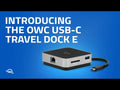
The best mini-sized dock to connect, charge, display, and import on the go via one integrated cable
Highlights
- 6 ports of connectivity: (2) USB 3.2 Type-A, (1) HDMI 2.0, (1) SD card reader, (1) Gigabit Ethernet, (1) USB-C power pass-through
- Powerful options: bus-powered or use an existing USB-C power adapter
- Charge while working: Up to 100W pass-through power for a notebook or other device1
- Neat and tidy: Built-in cable storage
- Works with all: Adds ports to Macs, PCs, tablets, or phones with a built-in USB-C or Thunderbolt 3 port
The Best Just Got Better
When the gadget pros at Ars Technica called the OWC USB-C Travel Dock the “Best Hub for iPad” and the “Best Travel Hub” overall, we thought our work was done. Their – and other tech users - wish for an Ethernet port was our command to make the best even better. All the high-speed data performance, pass-through power, and versatility no other mini-sized hub can match…now with the reliability of Gigabit Ethernet connectivity. Welcome to the 6-port USB-C Travel Hub E.
Mobile Life Simplified
The OWC USB-C Travel Dock E reduces adapter and dongle heft and hassle while expanding your connectivity options with six essential ports: USB 3 Type-A, HDMI 2.0, SD card reader, Gigabit Ethernet, and USB-C power pass-through. Through its integrated USB-C connecting cable, the diminutive Travel Dock E lets you transform a studio, classroom, boardroom, or coffee shop into your mobile office with the ability to connect, charge, display, and import at will with USB-C or Thunderbolt 3 equipped computers, tablets, and phones
Fast and Reliable Sharing, Streaming, Surfing
Nothing can quash productivity faster than slow, low-quality Wi-Fi. With its Gigabit Ethernet port with industry-standard RJ-45 connector, you can plug in the Travel Dock E anywhere for a speedy server connection, uninterrupted downloads and reliable file transfers.
Portable and Powerful
Unlike other mini-docks that sacrifice some usability to remain portable, OWC USB-C Travel Dock E packs a heavyweight punch akin to a desktop dock. Similar to the size and weight of a hockey puck, this compact dock can be used via bus power when you don't have access to a power outlet. Or, connect a USB-C power adapter to the Travel Dock E’s USB-C power delivery port to charge your device with up to 100W of power.
Do It All Through the Travel Dock E’s one integrated USB-C cable, you can:
- Make a powerful presentation on a 4K HDMI display
- Share, stream, and surf reliably fast on an Ethernet network
- Transfer files with storage devices in a blink of any eye
- Charge up your small mobile devices for on-the-go use
- Copy photos and movies directly from media cards with the SD card reader
- Enjoy the convenience of a full-sized keyboard or mouse with your notebook
Disconnect in One Click
OWC Dock Ejector software safely disconnects drives connected to the OWC USB-C Travel Dock E in a single click. Designed by OWC hardware and software engineers, Dock Ejector ensures all data is written before disconnection, saving time and protecting against data loss. Use it to move quickly between workstations and get the most out of your OWC USB-C Travel Dock E.
Download Dock Ejector
OWC, Trusted by Pros & Enthusiasts the World Over
We build our hardware to the highest standards of reliability and performance. Because 100% reliability is always the goal, we rigorously quality test and back the OWC USB-C Travel Dock E with an OWC Limited Warranty and award-winning customer support.
1. The power delivery component of the dock is rated up to 100W. Power draw of the dock while being bus-powered ranges from 5-15W and will not deliver any power to the connected computer. When a USB-C power adapter is connected to the dock's USB-C port, the dock will draw up to 8W power from the adapter instead of bus-powering from the host computer. Depending on the adapter connected, the dock can pass up to 92W to the host computer. Any power not used by the dock and its ports is passed to the host for battery charging, if applicable.
Includes
- (1) OWC USB-C Travel Dock E
- Dock Ejector Software Download
- 2-Year OWC Limited Warranty
Specifications
- Form factor Portable
- Interface USB Type-C
- Display Support Up to one 4K display @ 60Hz
- Display Support by Port HDMI 2.0: Up to 4K @ 60Hz
- Certifications BSMI, CE, FCC, RCM, VCCI
- Data Rate
- USB 3.2 Gen 1: up to 5Gb/s
- SD media: up to 312 MB/s
- Ethernet Speeds (RJ-45)
- 1Gb/s "Gigabit" (1000BASE-T)
- 100Mb/s (100BASE-T)
- 10Mb/s (10BASE-T)
- Host Port Requirements USB-C or Thunderbolt 3 or later equipped Macs, PCs, tablets, and phones
- Power Supply Bus-powered (Optional AC adapter)
- External Power Adapter Optional
- Power Delivery USB-C Charging port delivers up to 92W pass-through power for host charging.
- Device Ports
- (2) USB 3.2 Gen 1 Type-A Ports up to 600MB/s
- (1) USB Type-C Charge Port
- (1) HDMI Port
- (1) Gigabit Ethernet (GbE) RJ-45 Port
- Memory Card Slots (1) Secure Digital (SD)
- Security Slot No
- Housing Color Space Gray
- Housing Material
- Chassis: aluminum
- Covers: plastic
- Dimensions
- Height 2.5 cm (1.0 in)
- Length 8.0 cm (3.1 in)
- Width 8.0 cm (3.1 in)
- Captive Cable Length 15.0 cm (5.9 in)
- Weight 174.0 g (0.38 lbs)
- Ambient Temperature
- Operating 41°F to 95°F (5°C to 35°C)
- Non-Operating -4°F to 140°F (-20°C to 60°C)
- Altitude
- Operating -304.8 m to 3,048.0 m (-1,000 ft to 10,000 ft)
- Non-Operating -304.8 m to 12,192.0 m (-1,000 ft to 40,000 ft)
- Humidity
- Operating 8% to 90% non-condensing
- Non-Operating 5% to 95% non-condensing
- Notes
- In most scenarios, the dock will draw 8W from its power source. When connected to a power adapter, the dock will draw power from the adapter instead of bus-powering from the host.
- If the media reader or USB peripherals connected to the dock do not perform as expected, connect the dock to a dedicated USB-C power adapter.
- Please note that while both of the USB ports on the OWC Travel Dock E can support ‘high power’ bus-powered USB devices with the appropriate cable type, such as the OWC Envoy Pro EX or the Apple Super Drive, it is not possible to connect two high-power, bus-powered USB devices at the same time, unless you have a dedicated power adapter connected to the dock’s USB-C Power Delivery port.
- Ethernet port may take up to 60 seconds to negotiate a connection when used with iPadOS devices.
Compatibility
- Mac OS Compatibility
- macOS 10.13 High Sierra
- macOS 10.14 Mojave
- macOS 10.15 Catalina
- macOS 11.x Big Sur
- macOS 12.x Monterey
- macOS 13.x Ventura
- macOS 14.x Sonoma
- PC OS Compatibility
- Windows 10 64-bit Edition
- Windows Server 2016
- Windows 11
- Mobile OS Compatibility
- iPadOS 17
- iPadOS 16
- iPadOS 15
- iPadOS 14
- iPadOS 13
- Other OS Compatibility
- Chrome OS
- iPadOS 12.1 or later
- Android
Mac Pro
- Mac Pro (Late 2019) – Model ID: MacPro7,1
- Mac Pro Rack (Early 2020) – Model ID: MacPro7,1
- Mac Pro (Mid 2023) – Apple M2 Ultra
iMac
- iMac Pro (Late 2017) – Model ID: iMacPro1,1
- iMac (Mid 2017)
- iMac (Early 2019)
- iMac (Mid 2020)
- Compatible with Apple Silicon iMac models (M1, M3 and newer)
MacBook Pro
- MacBook Pro (Late 2016)
- MacBook Pro (Mid 2017)
- MacBook Pro (Mid 2018)
- MacBook Pro (2019)
- MacBook Pro (2020 Intel)
- MacBook Pro (2020 Apple M1)
- Compatible with newer MacBook Pro models with Apple Silicon processors (M1, M2, M3, M4 and newer)
MacBook Air
- MacBook Air (Late 2018)
- MacBook Air (Early 2020 Intel)
- MacBook Air (Late 2020 Apple M1)
- Compatible with newer MacBook Air models with Apple Silicon processors (M1, M2, M3 and newer)
Mac mini
- Mac mini (Late 2018)
- Mac mini (Late 2020 Apple M1)
- Compatible with newer Mac mini models with Apple Silicon processors (M1, M2, M3, M4 and newer)
System Requirements
- Mac with Thunderbolt or USB-C port
- macOS 10.13 High Sierra or later
- iPad
- 2018 iPad8,1 - Apple A12 Bionic
- 2018 iPad8,2 - Apple A12 Bionic
- 2018 iPad8,3 - Apple A12 Bionic
- 2018 iPad8,4 - Apple A12 Bionic
- 2018 iPad8,5 - Apple A12 Bionic
- 2018 iPad8,6 - Apple A12 Bionic
- 2018 iPad8,7 - Apple A12 Bionic
- 2018 iPad8,8 - Apple A12 Bionic
- 2020 iPad8,10 - Apple A12Z Bionic
- 2020 iPad8,11 - Apple A12Z Bionic
- 2020 iPad8,12 - A12Z Bionic
- 2020 iPad8,9 - A12Z Bionic
- 2020 iPad13,1 - Apple A14 Bionic
- 2020 iPad13,2 - Apple A14 Bionic
- 2021 iPad13,11 - Apple M1
- 2021 iPad13,10 - Apple M1
- 2021 iPad13,4 - Apple M1
- 2021 iPad13,5 - Apple M1
- 2021 iPad13,6 - Apple M1
- 2021 iPad13,7 - Apple M1
- 2021 iPad13,8 - Apple M1
- 2021 iPad13,9 - Apple M1
- 2022 iPad13,16 - Apple M1
- 2022 iPad13,17 - Apple M1
- 2022 iPad14,3 - Apple M2
- 2022 iPad14,4 - Apple M2
- 2022 iPad14,5 - Apple M2
- 2022 iPad14,6 - Apple M2
- iPhone 15 Pro
- 2023 iPhone16,1 - Apple A17 Pro
- 2023 iPhone16,2 - Apple A17 Pro
- PC Laptops
- Compatible with Windows/Chrome OS/Linux based PCs with USB Type-C ports. Will ONLY charge laptops which require up to 60W of power. All other functionality is still available even if the computer requires more than 60W and doesn't charge via the USB-C Dock.
Product videos
Shipping & VAT
- Free UK Shipping: Delivered in approx. 2 working days
- Express Options: Faster methods available at checkout
- Free Shipping to Ireland: For orders over £100.00
- International Delivery: Times vary by destination; shipped via FedEx or DHL
- 30-Day Returns: Return within 30 days from order date
- UK, Ireland and EU Customers: Free return label provided
- Full Return Policy: Read Here
- Full Shipping Details: Read Here
VAT & Duties Information
UK & EU Customers: The price shown on our website is the final price you pay. No additional VAT, customs duties, or import fees will be charged upon delivery.
Orders are dispatched from Northern Ireland, allowing us to serve customers across the United Kingdom and the European Union without unexpected import charges.
Non-UK and non-EU destinations: Local taxes, customs duties, and import fees may apply and are the responsibility of the recipient.
Payment
Safe payment on our website.
Pay by card, Klarna, PayPal, Apple Pay, G-Pay, Shop Pay, Revolut, Bancontact, iDeal, or even bank transfer.
Customer Service
Email and chat available 24/7
Free number UK: 08001954072
International: +442838341148
Phone Line Opening Hours
- Monday - Friday: 09:00-17:00