
0800 195 4072
Free Shipping

Key Features

Compatibility

Product Description
Enhance your headless Mac or PC's performance with the NewerTech HDMI Headless 4K Display Emulator. This compact device activates the GPU, enabling smooth remote access with resolutions up to 4096 x 2160.
Key Features:
- Full GPU Activation: Ensures your computer's graphics processor is fully utilized, even without a connected display.
- High-Resolution Support: Emulates displays up to 4096 x 2160 (4K), providing clear and detailed visuals during remote sessions.
- Plug and Play: No drivers or additional software required; simply insert into the HDMI port to immediately enhance performance.
- Compact Design: Ultra-low-profile build makes it easy to install and ideal for any setup.
- Cross-Platform Compatibility: Works seamlessly with macOS, Windows, and Linux systems.
Warranty Information:
The NewerTech HDMI Headless 4K Display Emulator comes with a 3-year limited warranty, ensuring long-term reliability and support.
Specifications
- Resolution: Maximum: 4096 x 2160
- 4096x2160: @ 30Hz/29Hz/24Hz
- 3840x2160: @ 30Hz/29Hz/24Hz
- 2560x1600: @ 75Hz/30Hz/24Hz
- 2560x1440: @ 75Hz/60Hz
- 2560x1080: @ 30Hz
- 2048x1536: @ 30Hz/29Hz
- 1920x1440: @ 75Hz/60Hz
- 1920x1200: @ 90Hz/75Hz/60Hz
- 1920x1080: @ 120Hz/100Hz/90Hz/75Hz/60Hz/30Hz
- 1440x900: @ 120Hz/100Hz/90Hz/75Hz/60Hz/30Hz
- 800x600: @ 60Hz/30Hz
- 640x480: @ 100Hz/75Hz/60Hz/30Hz
- Resolution Note: Actual resolutions presented on a system will vary depending on the computer and the operating system version.
- Plug and Play: Yes
- Mac OS Compatibility: Yes
- PC OS Compatibility: Yes
- Other OS Compatibility: Linux
- Other Requirements: Wireless: 802.11n or better recommended; Wired: Gigabit Ethernet (GbE) or better recommended
- Color: Red
- Dimensions: Height: 0.6 cm (0.2 in); Length: 2.5 cm (1.0 in); Width: 1.8 cm (0.7 in)
- Weight: 6.0 g (0.01 lbs)
- Input Connection: HDMI
- Country of Origin: China
- TAA Compliance: No
Compatibility
- MacBook Pro:
- Late 2021 to Late 2024
- 15-inch Retina Display (Mid 2015) - Model ID: MacBookPro11,4; MacBookPro11,5 | 2.2GHz, 2.5GHz, 2.8GHz
- 13-inch Retina Display (Early 2015) - Model ID: MacBookPro12,1 | 2.7GHz, 2.9GHz, 3.1GHz
- 15-inch Retina Display (2013 - 2014) - Model ID: MacBookPro11,3 | 2.3GHz, 2.5GHz, 2.6GHz, 2.8GHz
- 15-inch Retina Display (2013 - 2014) - Model ID: MacBookPro11,2 | 2.0GHz, 2.2GHz, 2.5GHz, 2.8GHz
- 13-inch Retina Display (2013 - 2014) - Model ID: MacBookPro11,1 | 2.4GHz, 2.6GHz, 2.8GHz, 2.9GHz, 3.0GHz
- 13-inch Retina Display (2013) - Model ID: MacBookPro10,2 | 2.5GHz, 2.6GHz, 2.9GHz, 3.0GHz
- 15-inch Retina Display (2013) - Model ID: MacBookPro10,1 | 2.4GHz, 2.7GHz, 2.8GHz
- Mac Pro:
- December 2013 - Model ID: MacPro6,1 | 2.7GHz, 3.0GHz, 3.5GHz, 3.7GHz
- Mac mini:
- Late 2024 - Model ID: Mac16,11 & Mac16,10 | Apple M4 Pro & Apple M4
- Early 2023 - Model ID: Mac14,3 & Mac14,12 | Apple M2 & Apple M2 Pro
- Late 2020 - Model ID: Macmini9,1 | Apple M1
- Late 2018 - Model ID: Macmini8,1 | 3.6GHz Core i3, 3.0GHz Core i5, 3.2GHz Core i7
- Late 2014 - Model ID: Macmini7,1 | 1.4GHz, 2.6GHz, 2.8GHz, 3.0GHz
- Late 2012 - Model ID: Macmini6,1 & Macmini6,2 | 2.3GHz, 2.5GHz, 2.6GHz
- Late 2012 Server - Model ID: Macmini6,2 | 2.3GHz, 2.6GHz
- Mid 2011 - Model ID: Macmini5,1 & Macmini5,2 | 2.3GHz, 2.5GHz, 2.7GHz
- Mid 2011 Server - Model ID: Macmini5,3 | 2.0GHz
- Mid 2010 - Model ID: Macmini4,1 | 2.4GHz, 2.66GHz
- Mid 2010 Server - Model ID: Macmini4,1 | 2.66GHz
- PC Compatibility: Compatible with Intel / AMD processor-based PCs meeting the specifications listed above. Memory complies with JEDEC Specifications (JESD79-3B).
Important - please read! Below is an excerpt from Apple's help page on using a dummy HDMI adapter with the 2018 Mac mini.
To fix a dummy HDMI plug not working on your 2018 Mac Mini, you need to turn off FileVault so macOS can bypass the encrypted pre-boot screen and fully load your graphics drivers.
The Fix: Turn Off FileVault
Go to the Apple Menu and select System Settings (or System Preferences).
Click on Privacy & Security (or Security & Privacy).
Select the FileVault tab.
Click the Turn Off FileVault... button at the top.
Enter your administrator password to confirm.
Wait for the decryption process to complete (this can take a couple of hours depending on your drive size).
Restart your Mac Mini once decryption is complete.
Why this happens
The 2018 Mac Mini features the T2 security chip, which controls boot security. With FileVault enabled, your Mac boots into a stripped-down, encrypted pre-boot screen that doesn't fully activate hardware or third-party drivers. Disabling FileVault allows the system to boot directly into the main operating system, which immediately recognises and activates your dummy HDMI plug.

Shipping & VAT
- Free UK Shipping: Delivered in approx. 2 working days
- Express Options: Faster methods available at checkout
- Free Shipping to Ireland: For orders over £100.00
- International Delivery: Times vary by destination; shipped via FedEx or DHL
- 30-Day Returns: Return within 30 days from order date
- UK, Ireland and EU Customers: Free return label provided
- Full Return Policy: Read Here
- Full Shipping Details: Read Here
VAT & Duties Information
UK & EU Customers: The price shown on our website is the final price you pay. No additional VAT, customs duties, or import fees will be charged upon delivery.
Orders are dispatched from Northern Ireland, allowing us to serve customers across the United Kingdom and the European Union without unexpected import charges.
Non-UK and non-EU destinations: Local taxes, customs duties, and import fees may apply and are the responsibility of the recipient.
Payment
Safe payment on our website.
Pay by card, Klarna, PayPal, Apple Pay, G-Pay, Shop Pay, Revolut, Bancontact, iDeal, or even bank transfer.
Customer Service
Email and chat available 24/7
Free number UK: 08001954072
International: +442838341148
Phone Line Opening Hours
- Monday - Friday: 09:00-17:00


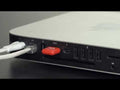
NewerTech HDMI Headless Video Accelerator
Enhance your headless Mac or PC's performance with the NewerTech HDMI Headless 4K Display Emulator. This compact device activates the GPU, enabling smooth remote access with resolutions up to 4096 x 2160.
Key Features:
- Full GPU Activation: Ensures your computer's graphics processor is fully utilized, even without a connected display.
- High-Resolution Support: Emulates displays up to 4096 x 2160 (4K), providing clear and detailed visuals during remote sessions.
- Plug and Play: No drivers or additional software required; simply insert into the HDMI port to immediately enhance performance.
- Compact Design: Ultra-low-profile build makes it easy to install and ideal for any setup.
- Cross-Platform Compatibility: Works seamlessly with macOS, Windows, and Linux systems.
Warranty Information:
The NewerTech HDMI Headless 4K Display Emulator comes with a 3-year limited warranty, ensuring long-term reliability and support.
- Resolution: Maximum: 4096 x 2160
- 4096x2160: @ 30Hz/29Hz/24Hz
- 3840x2160: @ 30Hz/29Hz/24Hz
- 2560x1600: @ 75Hz/30Hz/24Hz
- 2560x1440: @ 75Hz/60Hz
- 2560x1080: @ 30Hz
- 2048x1536: @ 30Hz/29Hz
- 1920x1440: @ 75Hz/60Hz
- 1920x1200: @ 90Hz/75Hz/60Hz
- 1920x1080: @ 120Hz/100Hz/90Hz/75Hz/60Hz/30Hz
- 1440x900: @ 120Hz/100Hz/90Hz/75Hz/60Hz/30Hz
- 800x600: @ 60Hz/30Hz
- 640x480: @ 100Hz/75Hz/60Hz/30Hz
- Resolution Note: Actual resolutions presented on a system will vary depending on the computer and the operating system version.
- Plug and Play: Yes
- Mac OS Compatibility: Yes
- PC OS Compatibility: Yes
- Other OS Compatibility: Linux
- Other Requirements: Wireless: 802.11n or better recommended; Wired: Gigabit Ethernet (GbE) or better recommended
- Color: Red
- Dimensions: Height: 0.6 cm (0.2 in); Length: 2.5 cm (1.0 in); Width: 1.8 cm (0.7 in)
- Weight: 6.0 g (0.01 lbs)
- Input Connection: HDMI
- Country of Origin: China
- TAA Compliance: No
- MacBook Pro:
- Late 2021 to Late 2024
- 15-inch Retina Display (Mid 2015) - Model ID: MacBookPro11,4; MacBookPro11,5 | 2.2GHz, 2.5GHz, 2.8GHz
- 13-inch Retina Display (Early 2015) - Model ID: MacBookPro12,1 | 2.7GHz, 2.9GHz, 3.1GHz
- 15-inch Retina Display (2013 - 2014) - Model ID: MacBookPro11,3 | 2.3GHz, 2.5GHz, 2.6GHz, 2.8GHz
- 15-inch Retina Display (2013 - 2014) - Model ID: MacBookPro11,2 | 2.0GHz, 2.2GHz, 2.5GHz, 2.8GHz
- 13-inch Retina Display (2013 - 2014) - Model ID: MacBookPro11,1 | 2.4GHz, 2.6GHz, 2.8GHz, 2.9GHz, 3.0GHz
- 13-inch Retina Display (2013) - Model ID: MacBookPro10,2 | 2.5GHz, 2.6GHz, 2.9GHz, 3.0GHz
- 15-inch Retina Display (2013) - Model ID: MacBookPro10,1 | 2.4GHz, 2.7GHz, 2.8GHz
- Mac Pro:
- December 2013 - Model ID: MacPro6,1 | 2.7GHz, 3.0GHz, 3.5GHz, 3.7GHz
- Mac mini:
- Late 2024 - Model ID: Mac16,11 & Mac16,10 | Apple M4 Pro & Apple M4
- Early 2023 - Model ID: Mac14,3 & Mac14,12 | Apple M2 & Apple M2 Pro
- Late 2020 - Model ID: Macmini9,1 | Apple M1
- Late 2018 - Model ID: Macmini8,1 | 3.6GHz Core i3, 3.0GHz Core i5, 3.2GHz Core i7
- Late 2014 - Model ID: Macmini7,1 | 1.4GHz, 2.6GHz, 2.8GHz, 3.0GHz
- Late 2012 - Model ID: Macmini6,1 & Macmini6,2 | 2.3GHz, 2.5GHz, 2.6GHz
- Late 2012 Server - Model ID: Macmini6,2 | 2.3GHz, 2.6GHz
- Mid 2011 - Model ID: Macmini5,1 & Macmini5,2 | 2.3GHz, 2.5GHz, 2.7GHz
- Mid 2011 Server - Model ID: Macmini5,3 | 2.0GHz
- Mid 2010 - Model ID: Macmini4,1 | 2.4GHz, 2.66GHz
- Mid 2010 Server - Model ID: Macmini4,1 | 2.66GHz
- PC Compatibility: Compatible with Intel / AMD processor-based PCs meeting the specifications listed above. Memory complies with JEDEC Specifications (JESD79-3B).
Important - please read! Below is an excerpt from Apple's help page on using a dummy HDMI adapter with the 2018 Mac mini.
To fix a dummy HDMI plug not working on your 2018 Mac Mini, you need to turn off FileVault so macOS can bypass the encrypted pre-boot screen and fully load your graphics drivers.
The Fix: Turn Off FileVault
Go to the Apple Menu and select System Settings (or System Preferences).
Click on Privacy & Security (or Security & Privacy).
Select the FileVault tab.
Click the Turn Off FileVault... button at the top.
Enter your administrator password to confirm.
Wait for the decryption process to complete (this can take a couple of hours depending on your drive size).
Restart your Mac Mini once decryption is complete.
Why this happens
The 2018 Mac Mini features the T2 security chip, which controls boot security. With FileVault enabled, your Mac boots into a stripped-down, encrypted pre-boot screen that doesn't fully activate hardware or third-party drivers. Disabling FileVault allows the system to boot directly into the main operating system, which immediately recognises and activates your dummy HDMI plug.
